Disclaimer: This guide contains information current as of February 2026. Tax rates, compliance requirements, and portal features are subject to change. We recommend confirming current obligations with the ATO or your registered tax agent before making decisions.
The ATO's Online services for business portal is where Australian businesses manage tax obligations, lodge activity statements, view payment history, and interact with the tax office. For SME owners, knowing your way around this portal is essential for staying compliant and avoiding penalties.
Whether you're lodging your own BAS, checking payment due dates, or authorising your accountant to act on your behalf, understanding each section of the portal saves time and reduces errors. This guide walks through every major section, explaining what each area does and how to use it effectively.
Before you can navigate the portal, you need proper access. The ATO requires business owners to use myGovID for authentication and Access Manager (formerly known as Relationship Authorisation Manager or RAM) to link your identity to your business.
Setting up access involves three key steps:
The portal is accessed through your myGovID authentication rather than traditional username and password. Once authenticated, you're directed to your business services dashboard where you can manage all your tax obligations.
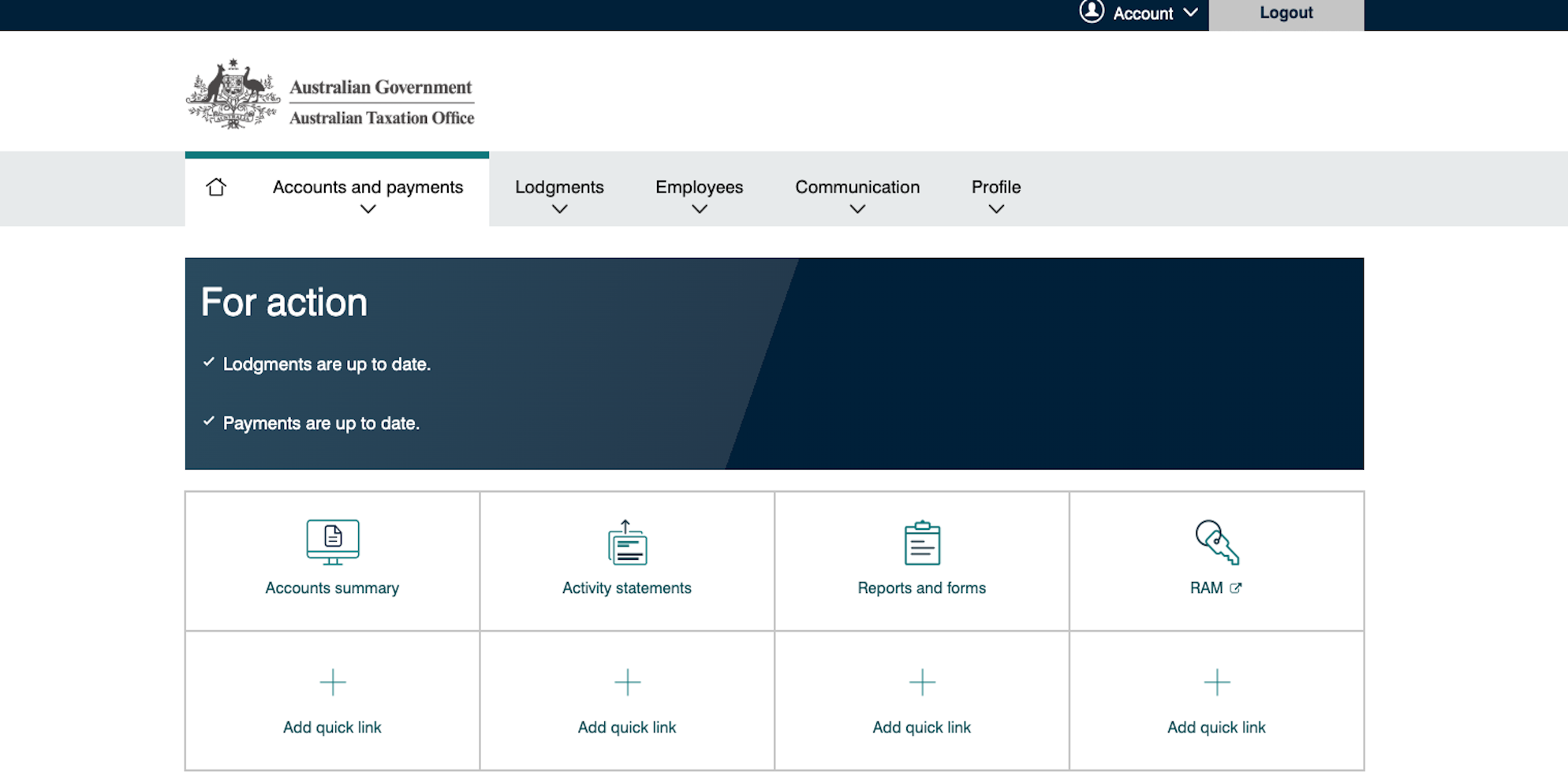
The dashboard is your landing page after authentication. This section provides a snapshot of your business's tax position and upcoming obligations.
The home screen displays your business name, ABN, and a summary of key information. You'll see alerts for overdue lodgements, upcoming due dates, and any correspondence from the ATO requiring attention. The dashboard also shows your current account balance, indicating whether you have a debt or credit with the tax office.
The left-hand sidebar contains links to all major sections of the portal. Common tasks like lodging activity statements, viewing payment history, and updating business details are accessible from this menu. Quick action buttons provide shortcuts to frequently used functions, allowing you to lodge a BAS, make a payment, or download forms without navigating through multiple pages.
For businesses with multiple ABNs, the dashboard allows switching between entities. This is particularly useful for owners managing several companies or trusts from a single myGovID, though each entity requires separate authorisation through Access Manager.
The Obligations section tracks all lodgement requirements for your business, including BAS, Instalment Activity Statements, Taxable Payments Annual Report (TPAR), income tax returns, and FBT returns.
Each obligation shows the lodgement type, period covered, due date, and current status. Statuses include 'Not due', 'Overdue', 'Lodged', or 'No lodgement required'. The ATO automatically generates obligations based on your business registrations and reporting frequency, so this section reflects what the ATO expects from you.
If you're registered for GST, your BAS obligations appear here quarterly or monthly depending on your turnover. The system shows which periods are outstanding and provides access to pre-fill data to help complete your return. Businesses in specified industries including construction, cleaning, courier, road freight, IT, security, and investigation services must report payments to contractors annually through TPAR. This obligation appears with a due date of 28 August following the financial year (for example, 28 August 2026 for the 2025-26 financial year). If 28 August falls on a weekend, the due date typically extends to the next business day, so always verify the exact due date for the current year.
You can lodge returns directly through the portal, request extensions, or vary instalment amounts. The section also shows historical lodgements, allowing you to review what's been submitted previously. If you use a registered tax or BAS agent, they can lodge on your behalf once properly authorised through Access Manager, and the obligations section will show when your agent has lodged or is working on a return.
The Accounts section displays all tax account balances for your business, including income tax, GST, PAYG withholding, super guarantee charge, and FBT accounts.
Each account shows a running balance. A positive figure means you have a credit with the ATO, while a negative balance indicates a debt. The accounts display transaction history, including lodgements, payments, refunds, and interest charges, giving you a complete financial picture of your tax position.
Your income tax account tracks company tax, trust tax, or sole trader income tax. Instalments paid during the year appear here, along with the final assessment after lodging your tax return. The GST account records every BAS lodgement as a transaction. If you have net GST payable, it appears as a debit. If you're claiming a refund, it shows as a credit.
Businesses with employees track PAYG withholding obligations in their PAYG withholding account. Monthly or quarterly payments from BAS lodgements are recorded, and any shortfalls or overpayments are visible. For the 2025-26 financial year, employers must also ensure their superannuation guarantee contributions are made at the current rate of 12%, which has been in effect since 1 July 2025.
Late super payments trigger super guarantee charge, and if you've had to lodge an SGC statement, the amounts owing and paid appear in the super guarantee charge account. The ATO charges general interest charge (GIC) on late payments and unpaid tax debts. These interest charges appear as transactions within the relevant account, and the GIC rate is set quarterly by the ATO based on the 90-day bank bill rate plus an uplift factor.
From this section, you can make payments directly through BPAY, direct debit, or credit card. Payment plans can be requested if you're unable to pay in full, though it's generally better to contact the ATO directly for payment arrangement discussions involving larger amounts.
This section manages Single Touch Payroll reporting and employee tax file number declarations. If you have employees, you'll interact with this area regularly to ensure compliance with reporting requirements.
The portal displays all STP reports your payroll software has submitted. You can see which pay periods have been reported, view employee details, and check for any errors or warnings. STP Phase 2 is now fully mandatory for all employers, which means your payroll software must provide itemised earnings breakdowns and disaggregated gross pay information. The portal highlights STP Phase 2 validation errors prominently, requiring correction before the ATO will accept the report.
For each employee, the portal shows year-to-date gross wages, PAYG withheld, and super liability. This information must reconcile with your payroll records and your BAS lodgements to avoid discrepancies that trigger ATO audits. At the end of each financial year, you must finalise your STP reporting through a finalisation declaration form where you confirm all payments for the year have been reported and make any necessary amendments.
When employees start work and complete their TFN declaration form, you can submit these through the portal. This ensures the ATO has current tax file numbers for all your staff. If there's a mismatch between your BAS and STP data, the ATO will contact you. The portal highlights these discrepancies, and you can amend STP reports to correct errors, though amendments should be made through your payroll software rather than manually in the portal.
Every payment made to the ATO and every refund received is tracked in this section, providing a complete transaction history for your business.
You can make payments directly through the portal using BPAY (each account has a unique biller code and reference number), direct debit (allowing the ATO to draw funds from your nominated bank account on the due date), or credit card (which incurs a fee). The section shows all payments with dates, amounts, and which account they were allocated to. If you've overpaid one account and the ATO has transferred the credit to another debt, these transfers appear here as well.
When you lodge a BAS with a refund or your tax return results in money owed to you, the refund processes through this section. You can track refund status, see expected payment dates, and confirm when funds have been deposited to your bank account. Most refunds are processed within 14 business days for BAS and up to 50 days for income tax returns, though these timeframes can extend if the ATO requires further information.
If a payment doesn't appear on your account within three business days, you can investigate through this section. The portal allows you to submit queries about missing payments by providing payment details and bank confirmation. For businesses with recurring debts, you can set up direct debit arrangements here, though significant payment plans should be arranged by calling the ATO to discuss terms and conditions.
This section contains all your business registration information with the ATO. Keeping these details current is a legal requirement and ensures the ATO can contact you about important matters.
Your Australian Business Number information sits here, including your business name, trading name, entity type, and business address. Any changes to these details must be updated through this section or through the Australian Business Register. If you're registered for GST, the portal shows your registration date and reporting frequency (monthly, quarterly, or annually). You can apply to cancel GST registration here if your turnover falls below the threshold and you no longer wish to be registered.
Businesses registered for PAYG withholding see their registration status here. If you take on your first employee, you'll need to register for PAYG withholding through this section before paying them, as the first pay run will require you to withhold tax. Companies providing fringe benefits to employees must register for FBT, which can be done through the portal along with viewing your FBT year end date (typically 31 March).
Depending on your business type, you may have registrations for fuel tax credits, luxury car tax, wine equalisation tax, or other taxes. All of these appear in this section with their current status. Changes to business address, contact phone numbers, email addresses, and bank account details happen through this section. The ATO verifies your identity through your myGovID authentication before allowing changes to protect against fraud, and significant changes may trigger additional verification steps.
All correspondence from the ATO appears in the Mail section, including letters, notices, reminders, and general interest charge notices. This is the ATO's primary communication channel for your business, replacing most postal correspondence.
The ATO sends various communications through the portal. Assessment notices arrive after lodging returns, payment reminders appear when amounts are overdue, and general letters about changes to tax law or compliance programs are distributed here. Each piece of mail can be downloaded as a PDF for your records. The portal shows the date received, subject line, and whether the mail has been read, allowing you to track what correspondence requires attention.
Some letters require action within specific timeframes, such as responding to information requests or lodging overdue returns. The portal will flag these as requiring response, and failure to respond by the due date can result in escalated ATO action including penalties or further investigation.
You can configure email or SMS notifications to alert you when new mail arrives in the portal. This ensures you don't miss important correspondence that requires timely response, as the ATO expects you to regularly check your portal mail. The ATO keeps correspondence in the portal for several years, allowing you to access historical letters if needed for record-keeping or when dealing with historical tax matters.
The Authorisations section is where you link tax agents, BAS agents, and other representatives to your business through Access Manager. This allows registered professionals to lodge returns and communicate with the ATO on your behalf.
Tax agent authorisation allows a registered tax agent to lodge income tax returns, respond to ATO correspondence, and manage your tax affairs. This authorisation is typically ongoing until you revoke it, and the tax agent can perform most actions you could perform yourself within the portal. BAS agent authorisation is separate and allows a registered BAS agent to lodge activity statements, manage GST obligations, and handle PAYG reporting. Many businesses use a BAS agent for day-to-day compliance while reserving a tax agent for annual income tax returns.
You can also grant access authorisation to employees, bookkeepers, or advisors to view information without lodgement rights. This is useful for staff who need to check account balances or download statements but shouldn't have the ability to lodge returns or make changes to your registrations. These access levels can be customized based on what the person needs to do.
The process requires either the agent's registered number or an authorisation link they provide through Access Manager. Once you enter their details and specify what access they need, the agent receives notification and can begin working on your behalf. The section shows all current authorisations with expiry dates and access levels. You can revoke authorisation at any time, which is important if you change service providers. When you remove authorisation, the agent immediately loses access to your portal.
When engaging a registered BAS agent or bookkeeping service, you'll authorise them through this section. This allows them to lodge activity statements, check obligations, and communicate with the ATO about your accounts while you maintain visibility and control over your business information.
Portal access issues can usually be resolved by checking a few common problems:
Login and authentication failures:
Missing obligations or incorrect data:
Payroll and STP issues:
Agent access problems:
When you engage a registered BAS agent or tax agent, they access your business information through their own professional portal login rather than using your credentials. This maintains security while allowing them to manage your compliance obligations efficiently.
Registered agents can lodge your BAS on time, tracking obligations and ensuring nothing is missed. They monitor your accounts for payment due dates and alert you to any ATO correspondence requiring action. They reconcile STP data with BAS lodgements to prevent discrepancies that trigger ATO queries, and they respond to ATO requests for information on your behalf.
The authorisation process through Access Manager means agents can work independently, lodging returns and managing communications without constantly needing information from you. You retain full access to your portal and can see everything your agent does in real-time through the transaction history and lodgement records.
Professional services that include BAS preparation and lodgement remove the burden of navigating the portal yourself while maintaining transparency. You'll never be locked out of your own business information, and competent service providers will explain any actions taken through your account to ensure you understand your tax position.
How do I reset my myGovID if I've lost my phone?
Download the myGovID app on your new device and follow the recovery process. You'll need your driver's licence or passport to re-verify your identity at Strong strength. If you can't complete recovery through the app, contact the ATO's myGovID support line to regain access through their assisted verification process.
Can I have multiple people authorised to access my business information?
Yes. You can authorise multiple agents, employees, or advisors with different access levels through Access Manager. Each person needs their own myGovID at Strong strength and must be granted specific authorisations for what they can do. You can have a tax agent for income tax, a BAS agent for activity statements, and access-only authorisations for bookkeepers or staff who need to view information.
How long does it take for a BAS lodgement to appear on my account?
Lodgements typically appear within a few hours of submission. The account balance updates once the return is processed, usually within one business day. If you lodge late in the day or on weekends, processing may take until the next business day to complete.
What happens if I miss a lodgement deadline?
The ATO applies failure-to-lodge penalties for late returns. The penalty depends on the size of your business and how late the lodgement is, starting at one penalty unit per period for small entities and increasing for medium and large businesses. You'll receive a notice through the portal mail section, and repeated late lodgements can trigger compliance reviews.
Can I access the portal if I'm overseas?
Yes, the portal is accessible worldwide as long as you have internet access and your myGovID app works on your device. Some countries with restricted internet may have issues accessing Australian government websites, so you may need to use a VPN service if the site is blocked in your location.
How do I remove an old agent who no longer works for my business?
Log into Access Manager (accessible through the Authorisations section), find the agent's listing, and select 'Remove authorisation'. This takes effect immediately, and the agent loses all access to your information. You don't need to notify the agent, though professional courtesy suggests informing them their services are no longer required.
Why don't my STP figures match my BAS lodgement?
Mismatches usually occur when pay periods don't align perfectly with BAS quarters, when super is reported differently between systems, or when payroll corrections aren't reflected in both places. Review your payroll software's STP reports and compare to the BAS worksheet line by line to identify discrepancies. Your payroll software provider can help investigate systematic mismatches.
Scale Suite is a Sydney-based provider of outsourced finance teams and fractional CFO services for Australian SMEs. We deliver weekly bookkeeping, payroll, BAS/IAS lodgement, cashflow reporting, management accounts, and strategic fractional CFO oversight - all as a fully embedded team that works inside your business.
CA-qualified, Xero Certified, and registered BAS Agents, we replace fragmented bookkeepers and once-a-year accountants with one responsive finance function at a fraction of the cost of full-time hires. We serve growing businesses across Sydney, Melbourne, Brisbane, and Perth, with packages starting from $1,500 per month and no lock-in contracts.
See embedded bookkeeping rather than a monthly dump
We review and update our articles periodically. At the time of writing in February 2026, this information was assessed as current and accurate according to ATO requirements and portal functionality. Tax rates, compliance requirements, and portal features are subject to change.
Scale Suite is a Sydney-based provider of outsourced finance and HR services for Australian SMEs. We deliver bookkeeping, financial reporting, payroll processing, fractional CFO support, recruitment, employee onboarding, people and culture support, and fractional HR oversight, all as a fully embedded team that works inside your business.
Employment Hero Gold Partner, CA-qualified, and Xero Certified, we replace fragmented finance and HR processes with one responsive, senior-level function at a fraction of the cost of full-time hires. We serve growing businesses across Sydney, Melbourne, Brisbane, and Perth, with packages starting from $1,500 per month and no lock-in contracts.
30 minutes with our team.
We will review your current finance setup, compare the full cost of an internal hire against our embedded team, and show you exactly what your finance function should cost at your stage of growth.
You will leave with a clear view of what is working, what is missing and where you would save.
No lock-in contracts. 30-day money-back guarantee.
Prefer to book directly? Grab a time here.